影片播放器設定與檢查
Video Player 設定
Section titled “Video Player 設定”使用 AVPro 的影片播放器,需要在“Stream Mode”的 AVPro Video Player Component 中啟用“Low Latency”。 以下列出的影片播放器,由本組織(KuronekoServer)工作人員與使用者共同驗證。
在 Public / Group Public 中使用不在標準允許列表內的觀看 URL 時,還需要進行 VRChat 世界域名設定。
YamaPlayer
Section titled “YamaPlayer”YamaPlayer 預設支援低延遲,無需修改設定。
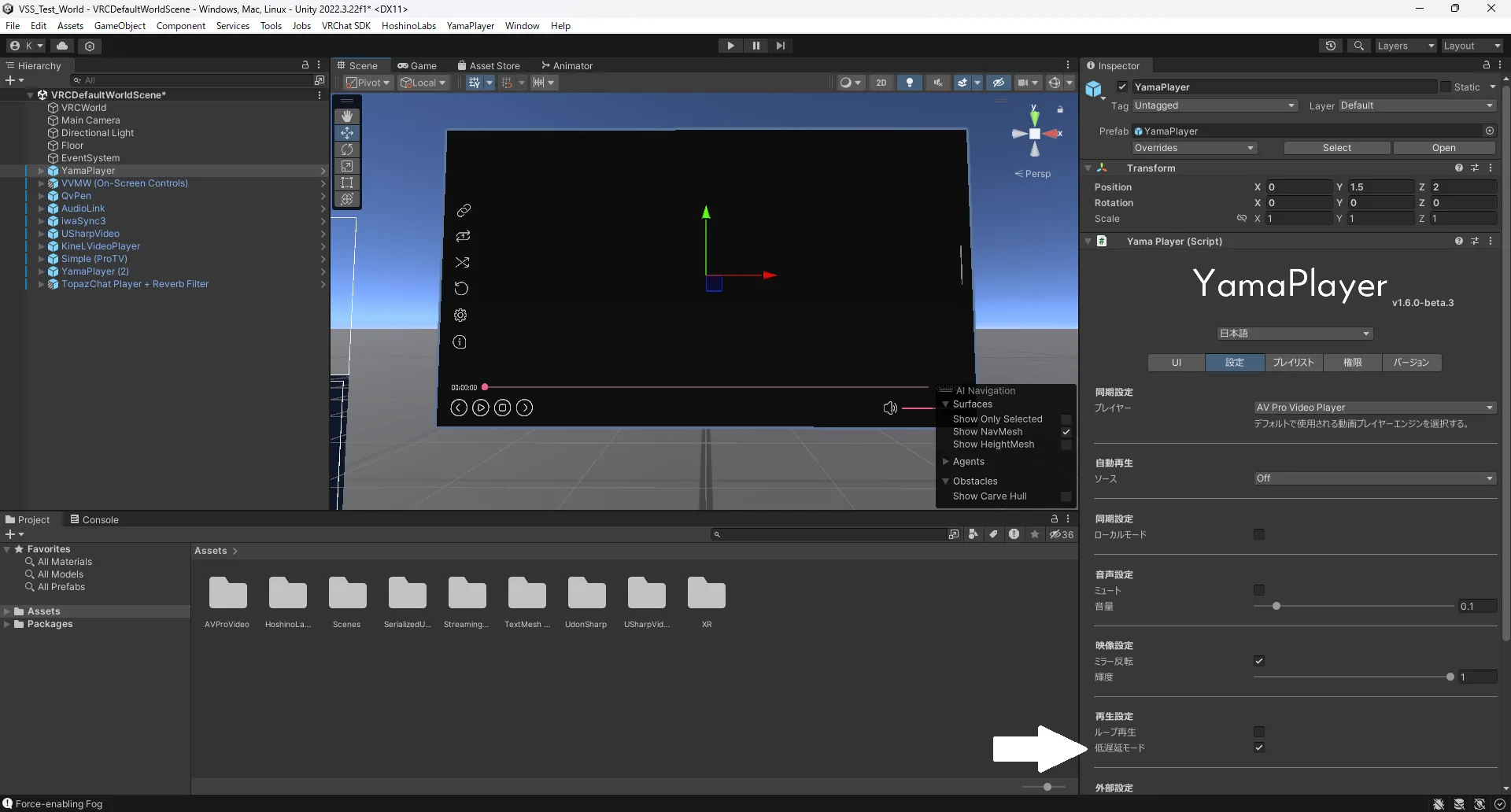
BOOTH:https://booth.pm/ja/items/4768863
iwaSync3
Section titled “iwaSync3”在 iwaSync3 中低延遲觀看直播時,需要在 Unity 中修改影片播放器設定。
請啟用下圖中的設定項目。
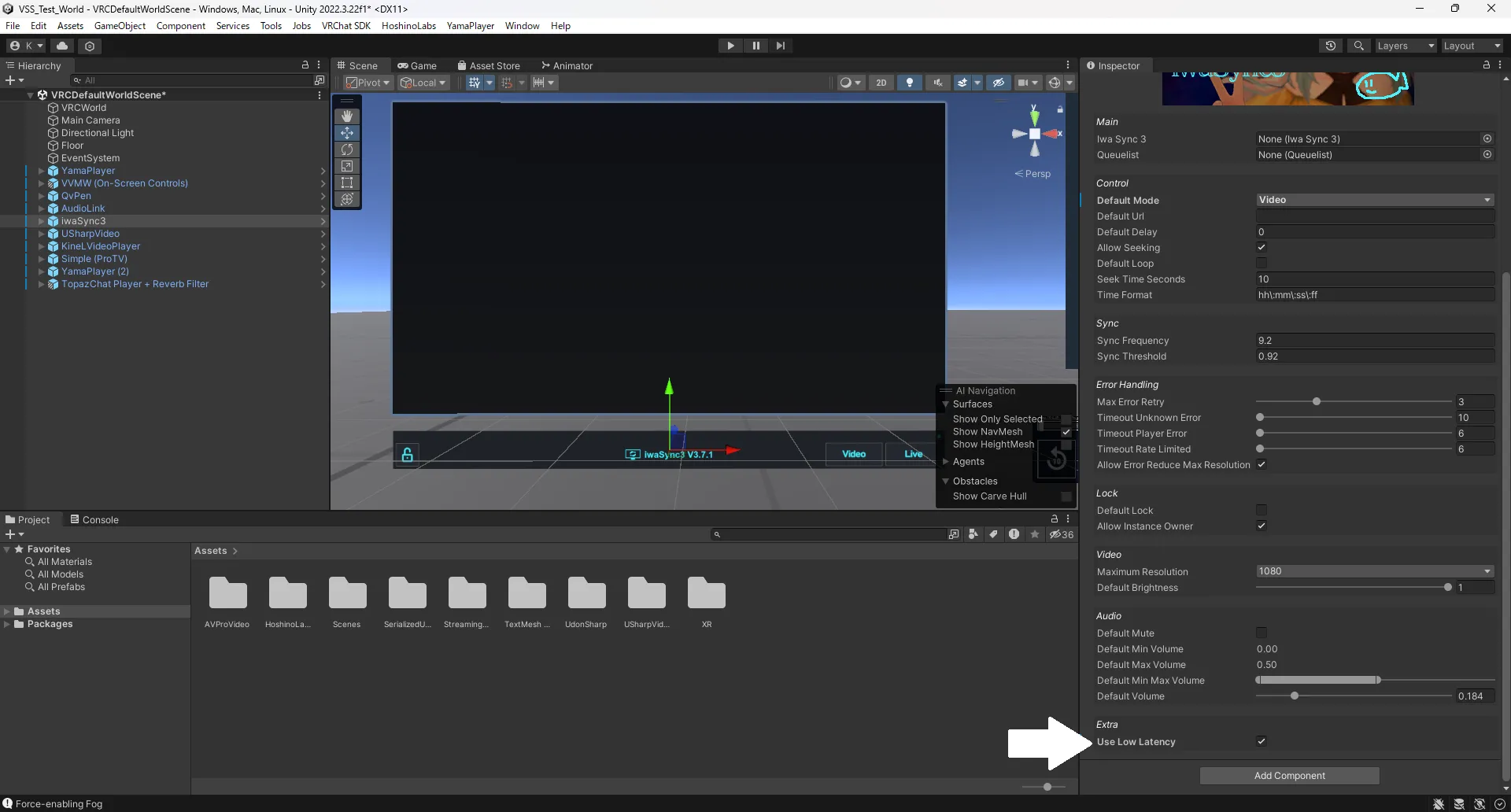
BOOTH:https://booth.pm/ja/items/2666275
此外,也有一些工具可以讓使用者方便地添加 resync;進行 VJ 等活動的使用者可以考慮使用。
VizVid
Section titled “VizVid”在 VizVid 中低延遲觀看直播時,需要在 Unity 中修改影片播放器設定。
請啟用下圖中的設定項目。
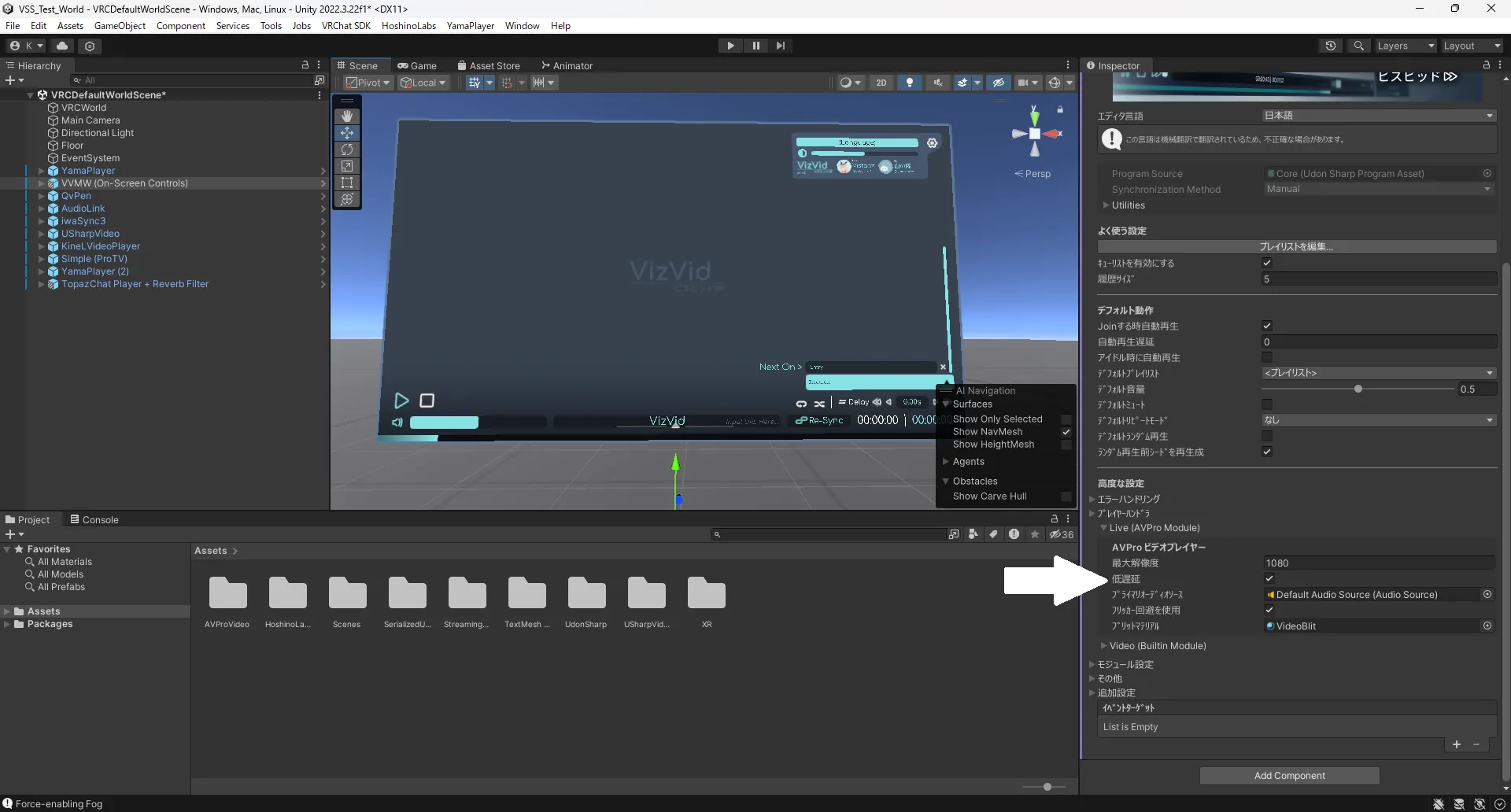
BOOTH:https://xtl.booth.pm/items/5056077
ProTV 3.0
Section titled “ProTV 3.0”ProTV 3.0 預設支援低延遲,無需修改設定。 https://booth.pm/ja/items/2536209
USharpVideo
Section titled “USharpVideo”在 USharpVideo 中低延遲觀看直播時,需要在 Unity 中修改影片播放器設定。
請啟用下圖中的設定項目。
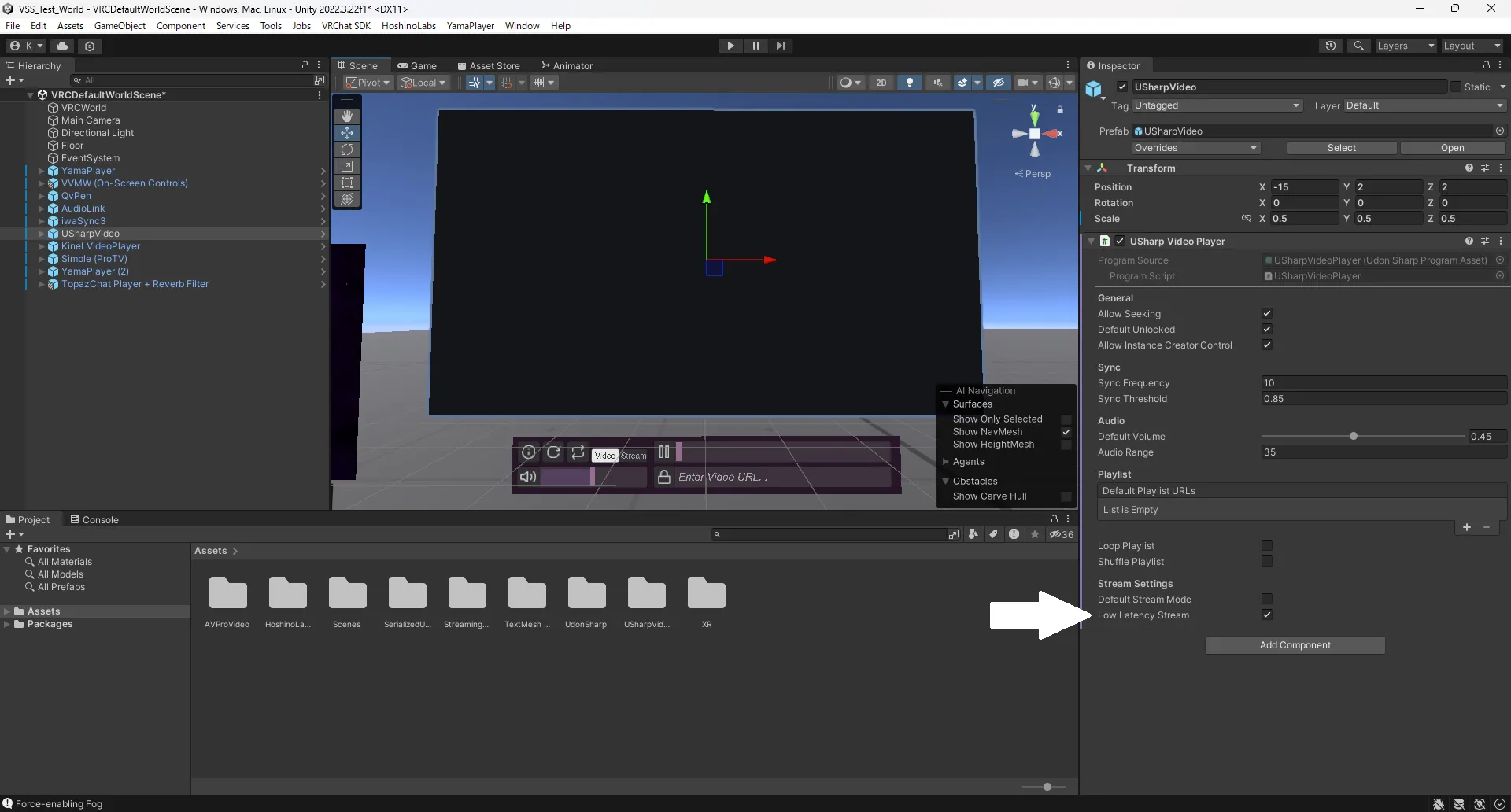
GitHub:https://github.com/MerlinVR/USharpVideo
TopazChat Player 3.0(高級)
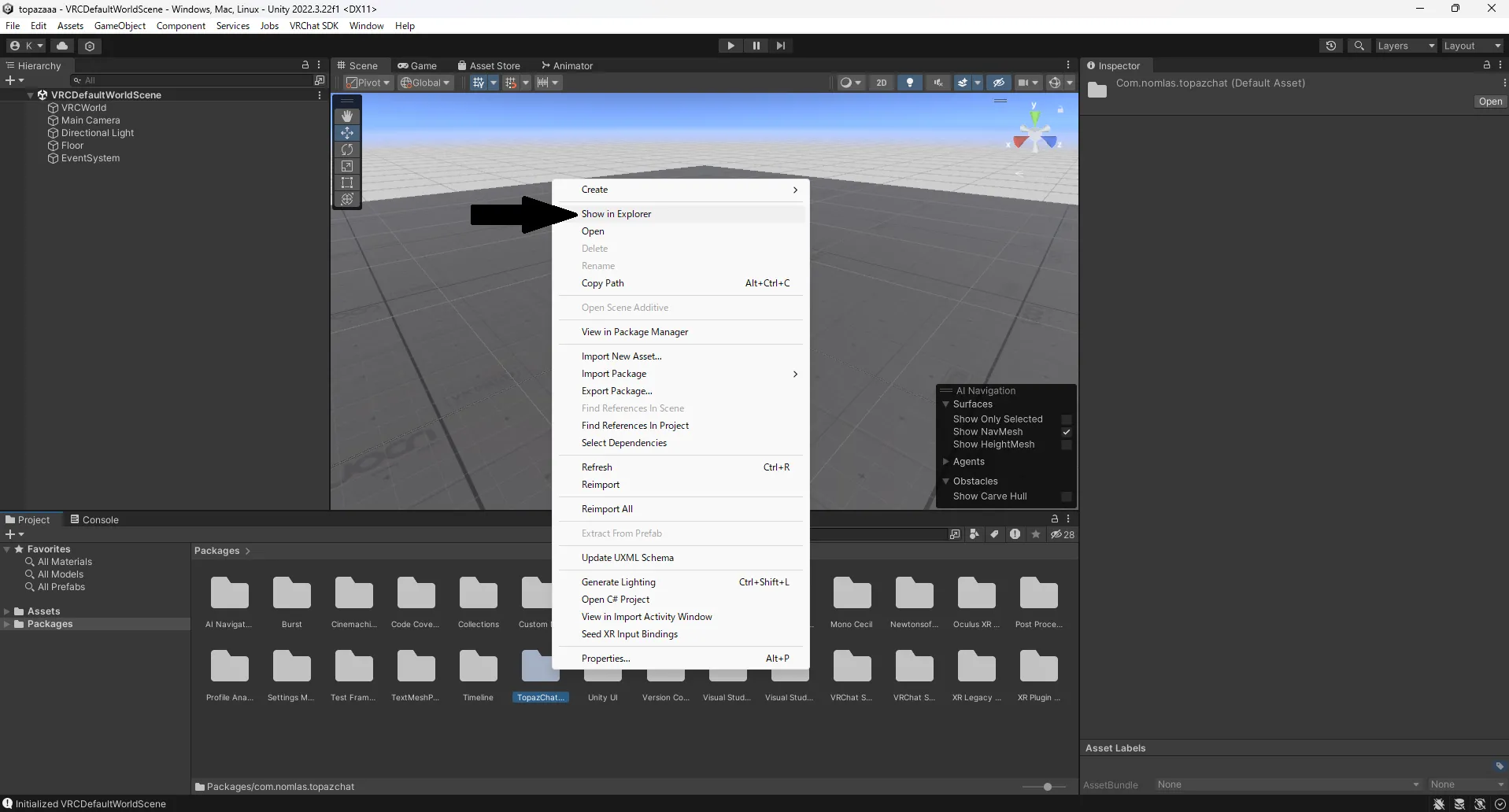
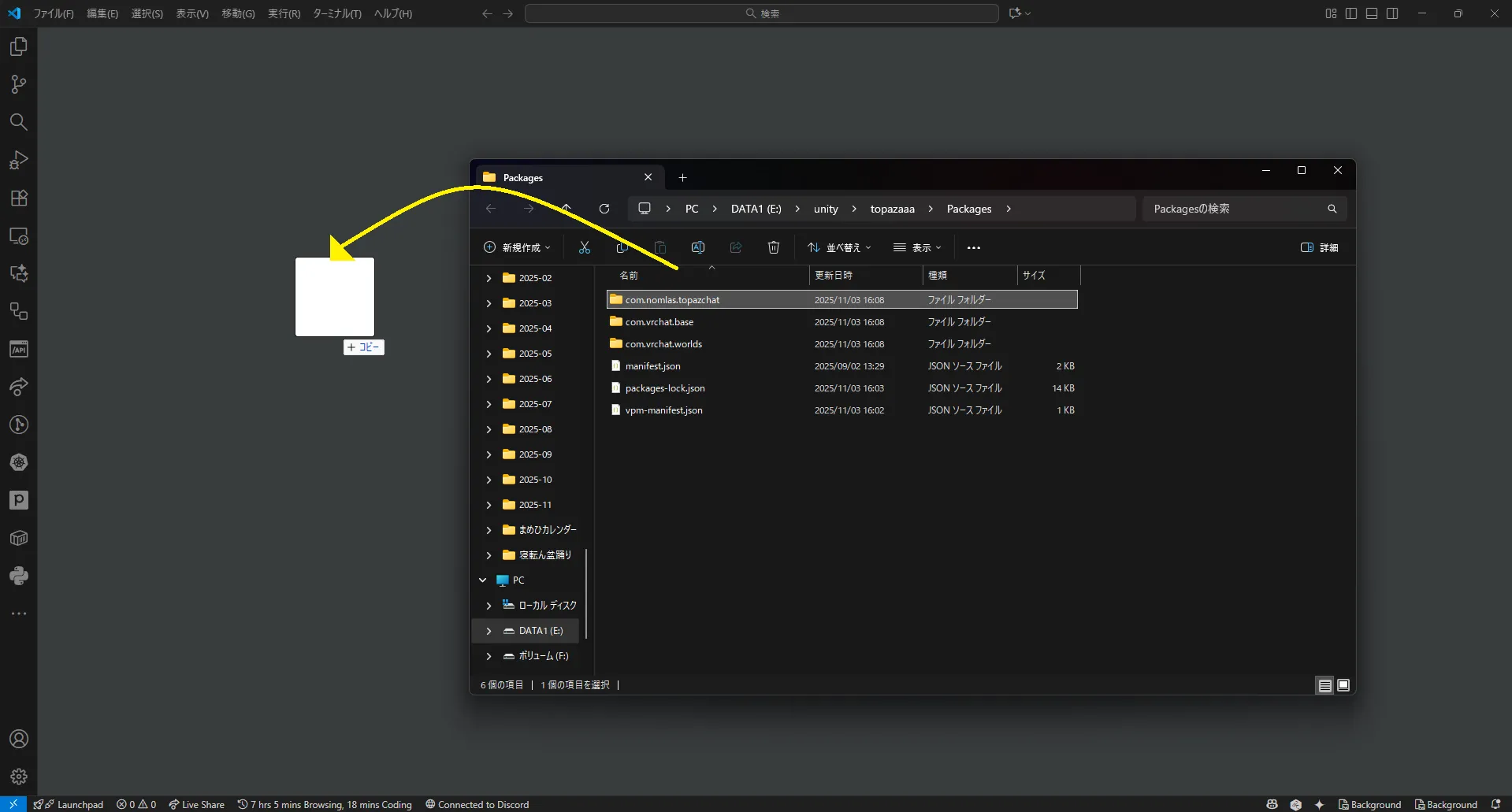
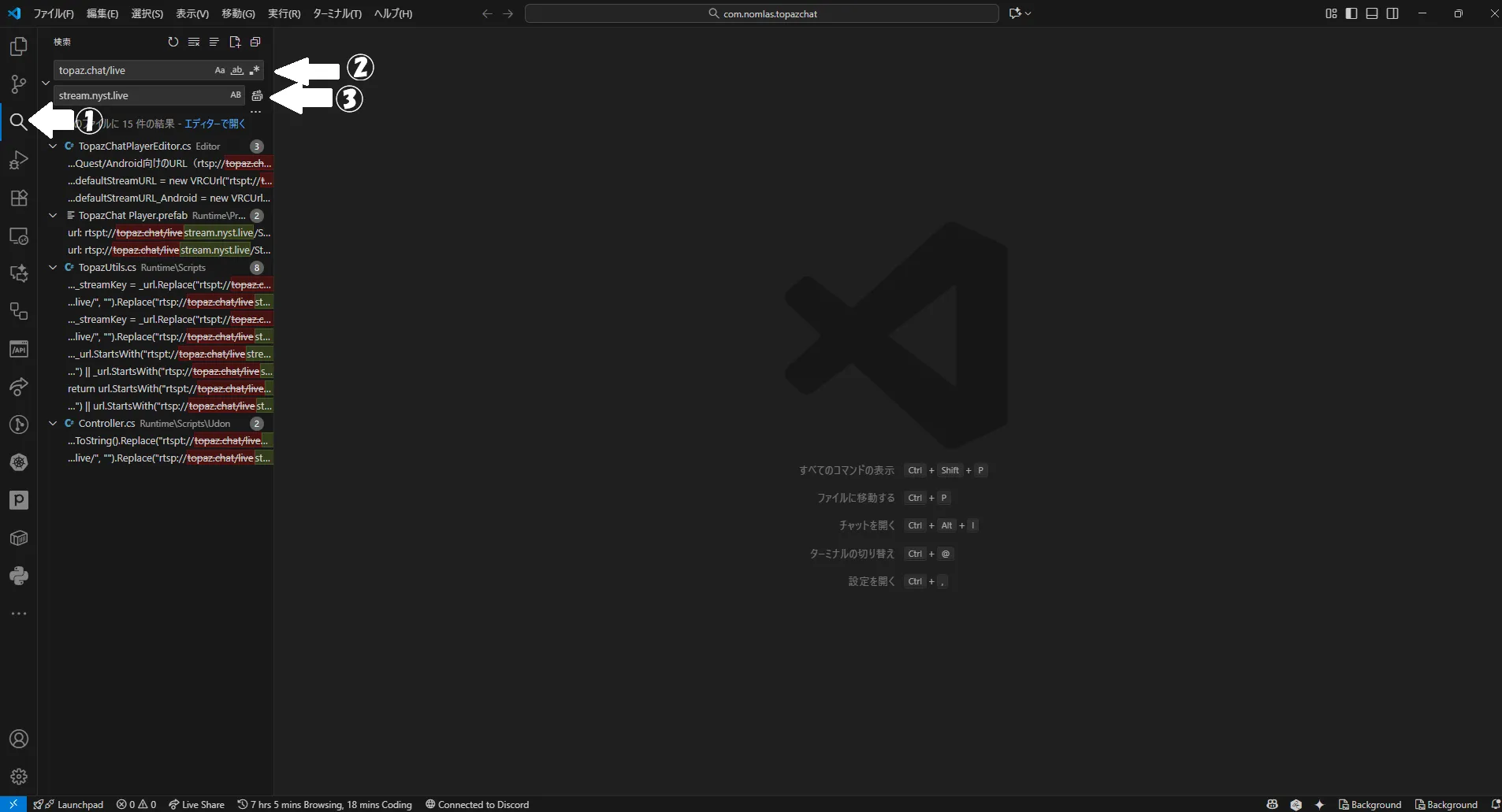
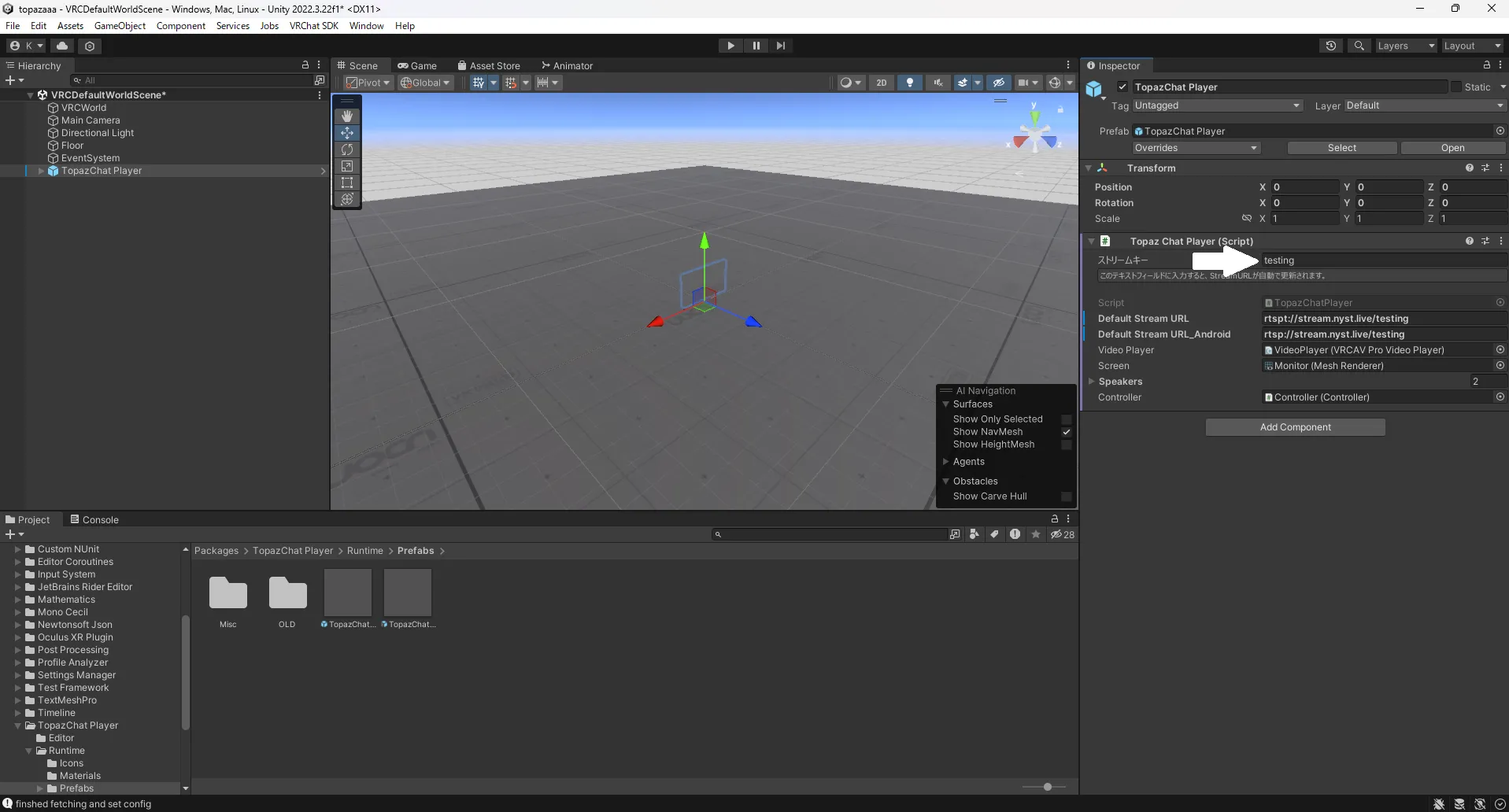
Section titled “TopazChat Player 3.0(高級)”在 TopazChat Player 中觀看直播時,需要編輯影片播放器腳本。