
Settings
Settings manages organization-wide identity, payments, notifications, access controls, and Public API keys. Available controls depend on your current role.
General
Section titled “General”Set the team name, team URL, avatar, and default language. The default language is used for limit emails, webhooks, dashboard notifications, and warning videos shown to viewers.
This page also contains the team ID, ownership transfer, leave-team, and delete-team controls. Do not publish the team ID unless a trusted integration specifically requires it.
Billing
Section titled “Billing”Review the current plan, payment methods, and billing history. A valid payment method is required before switching to a paid plan. Only an appropriately privileged user should add, update, or remove payment methods.
Notifications
Section titled “Notifications”Delivery channels
Section titled “Delivery channels”Choose in-app, email, and webhook delivery. After saving a webhook URL, you can send a standard-format or Discord-embed test.
Events
Section titled “Events”- Stream start and stop
- Authentication failures
- Viewer milestones
- Weekly report
- Bitrate limit exceeded
- 24-hour continuous streaming limit exceeded
- Storage limit reached
A webhook test sends a real notification. Coordinate with the channel owner before running it in production.
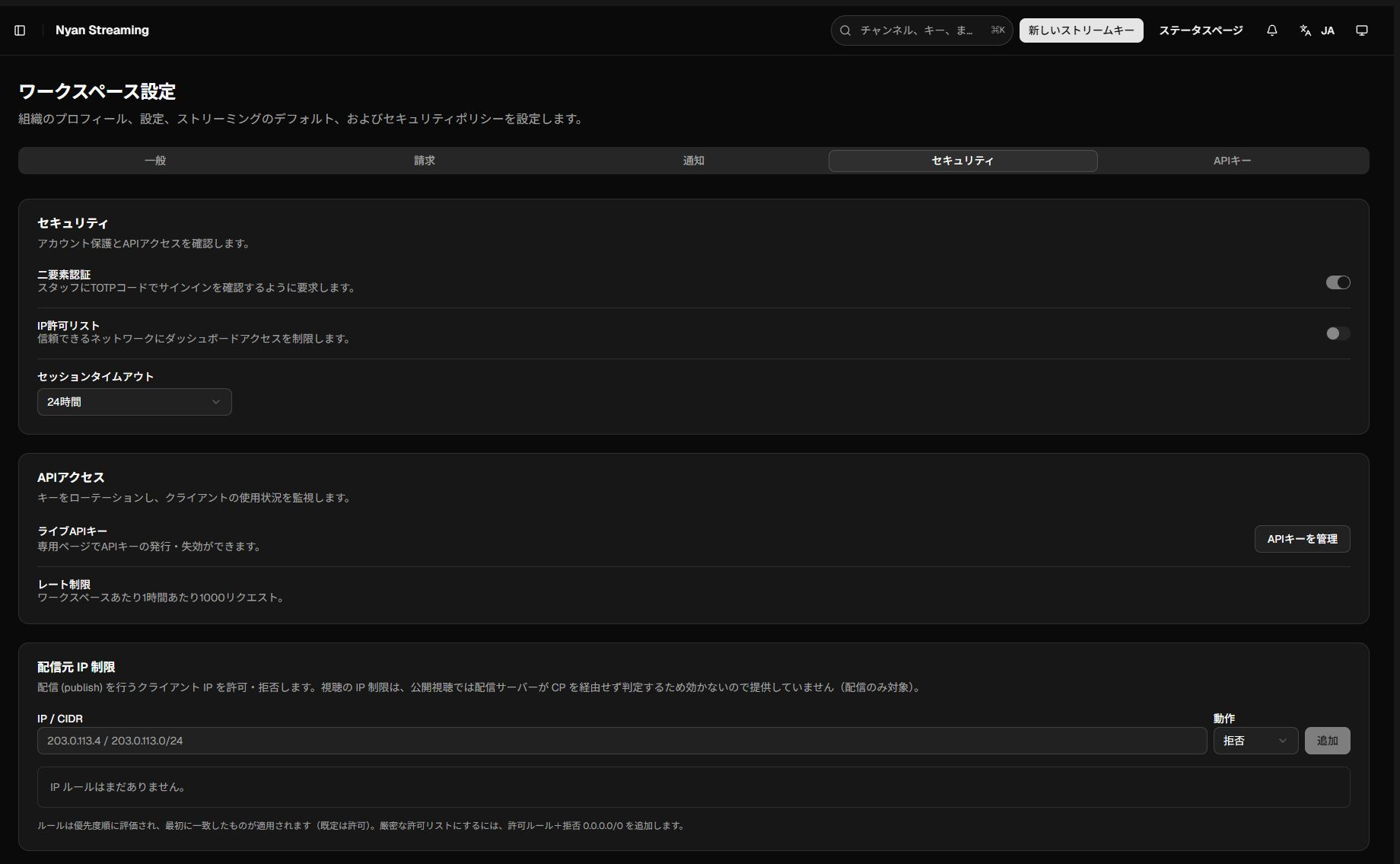
Security
Section titled “Security”- Enable or disable two-factor authentication.
- Choose a session timeout.
- Allow or deny publisher IP addresses in
IP / CIDRformat. - Follow the API-key management link and review the API rate limit.
IP rules are evaluated from top to bottom, and the first match applies. The default action is allow.
API keys
Section titled “API keys”Create a Public API key with a name and optional expiry. The list shows creation date, last use, and expiry; revoke keys that are no longer needed.
The page also documents authentication headers and endpoints. See Public API for the full guide.
Ownership transfer, leaving, and deletion
Section titled “Ownership transfer, leaving, and deletion”These actions have a wide impact. Verify the team, recipient, current role, and billing state, and preserve any required stream keys, recordings, and audit logs before continuing.