Video Player Settings / Checks
Video Player Settings
Section titled “Video Player Settings”When using AVPro, enable the “Low Latency” option in the AVPro VideoPlayer component’s Stream Mode. The list below includes players verified by KuronekoServer staff and users.
When using a playback URL outside VRChat’s default allowlist in Public / Group Public, also complete the VRChat World Domain Settings.
YamaPlayer
Section titled “YamaPlayer”YamaPlayer supports low latency by default; no configuration changes are required.
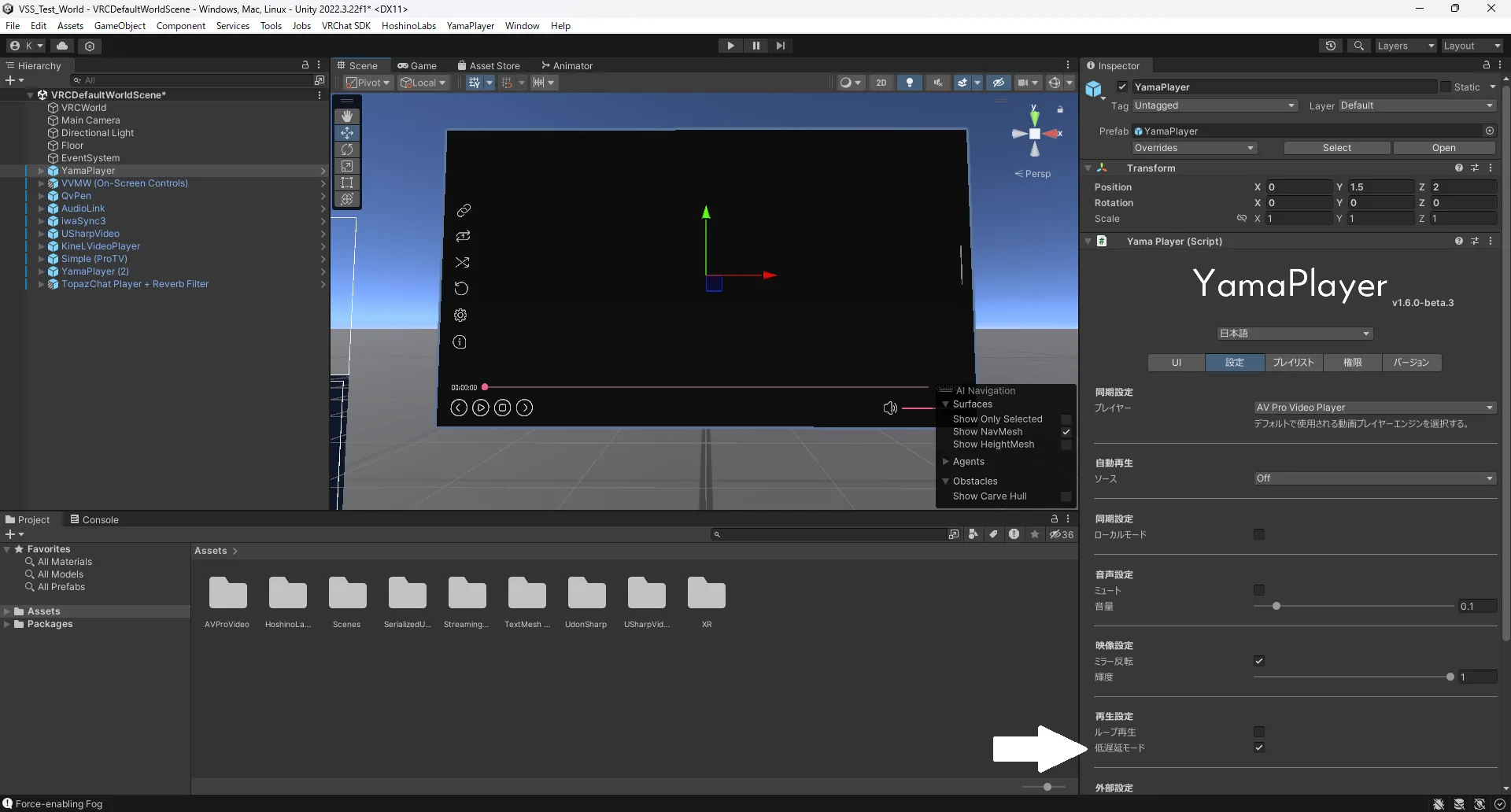
BOOTH: https://booth.pm/ja/items/4768863
iwaSync3
Section titled “iwaSync3”For low-latency viewing with iwaSync, change player settings in Unity and enable the options shown below.
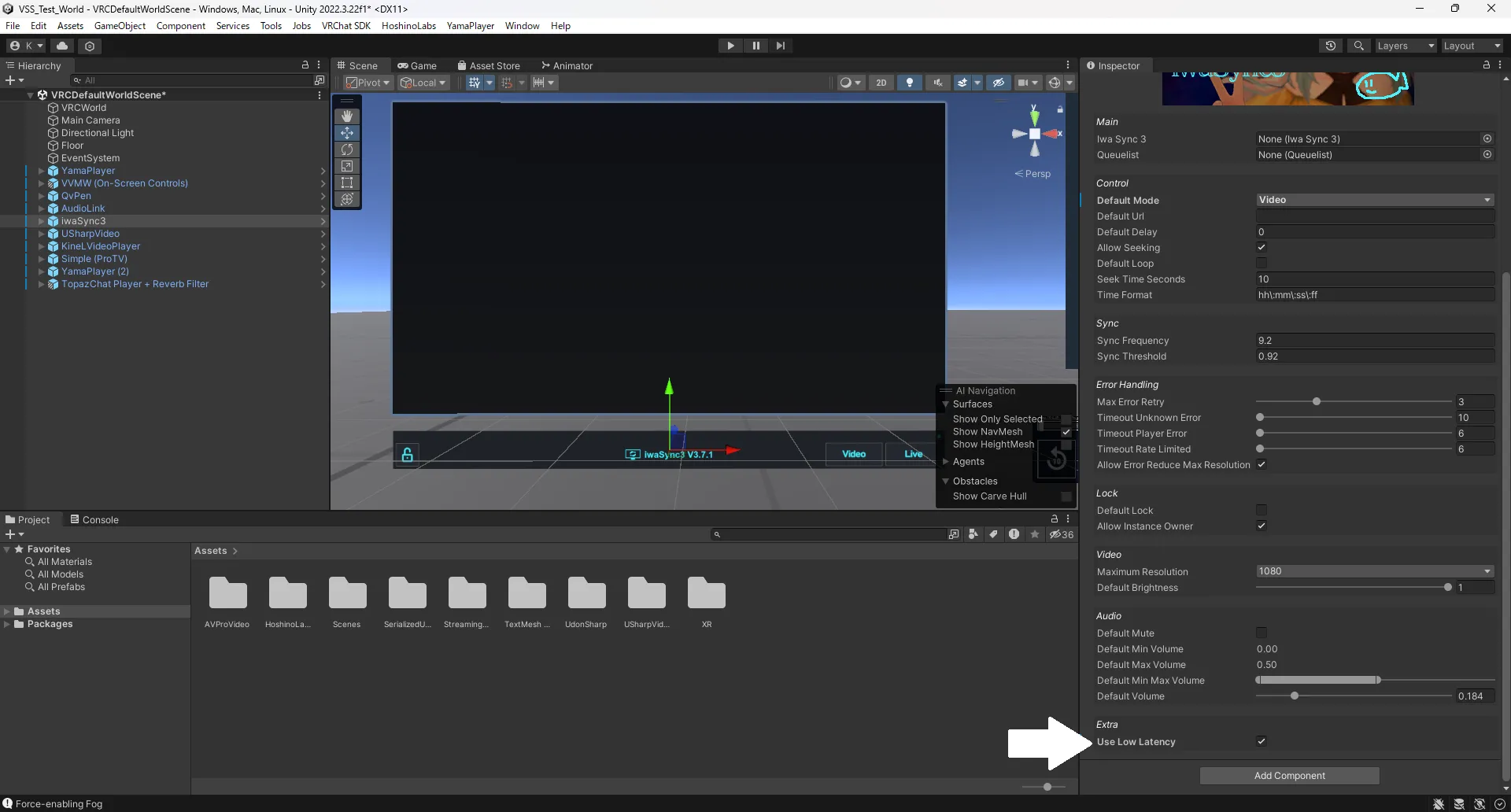
BOOTH: https://booth.pm/ja/items/2666275
You may consider resync tools useful for VJs.
VizVid
Section titled “VizVid”For VizVid, enable the settings shown in the screenshot below for low-latency playback.
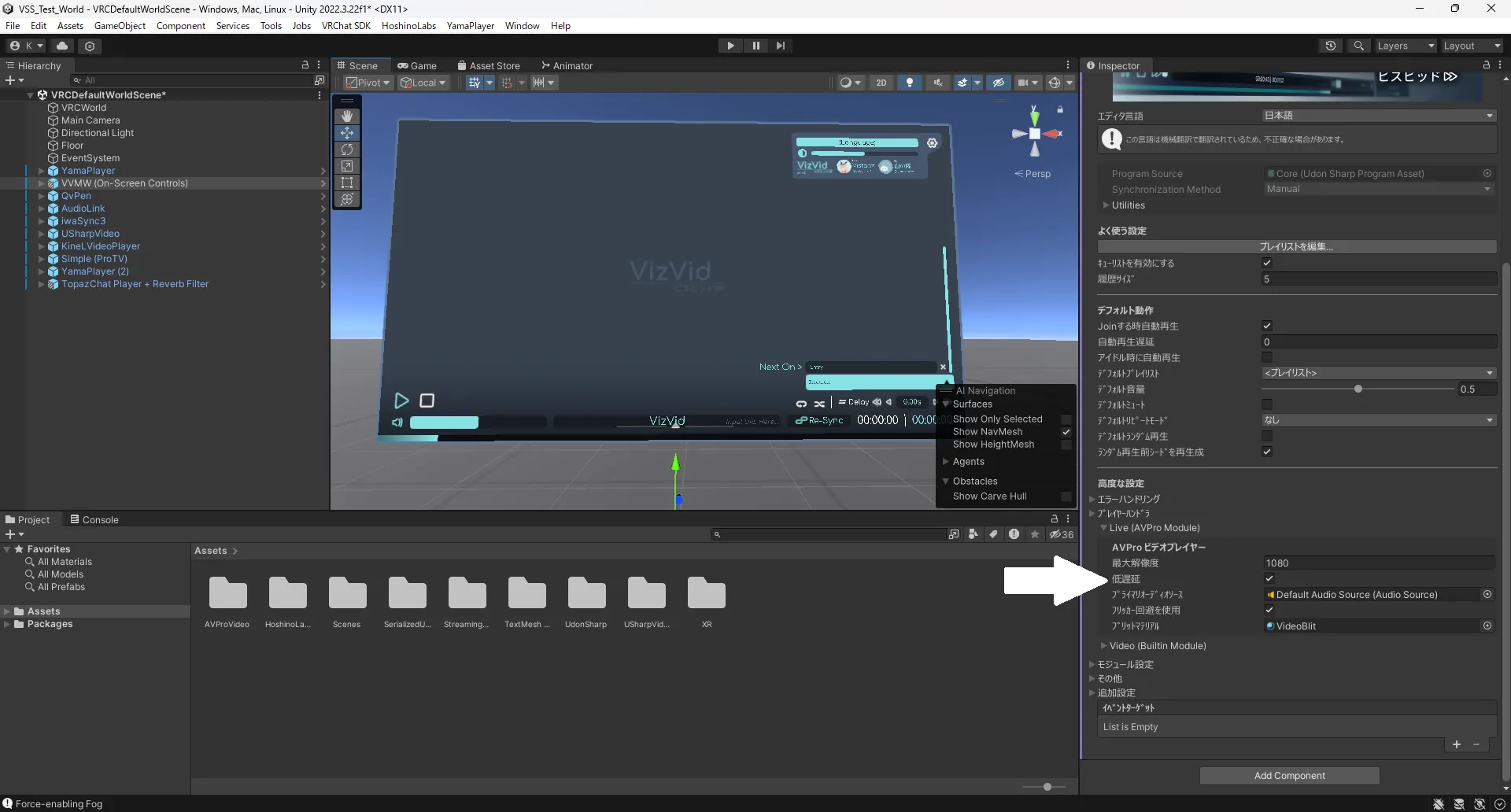
BOOTH: https://xtl.booth.pm/items/5056077
ProTV 3.0
Section titled “ProTV 3.0”ProTV 3.0 supports low latency by default; no changes required. https://booth.pm/ja/items/2536209
USharpVideo
Section titled “USharpVideo”For USharpVideo, enable the options shown below in Unity for low-latency viewing.
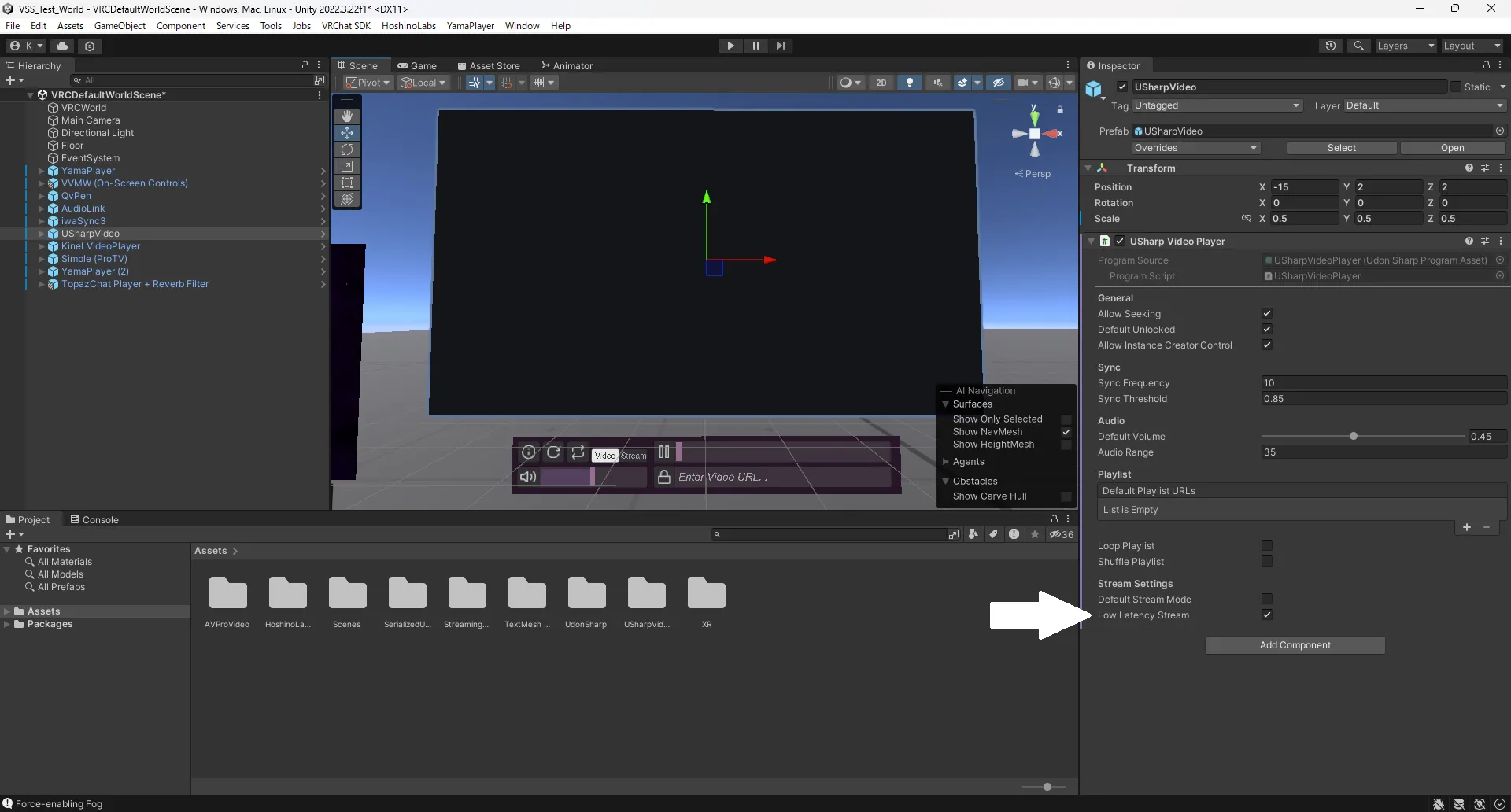
GitHub: https://github.com/MerlinVR/USharpVideo
TopazChat Player 3.0 (Advanced)
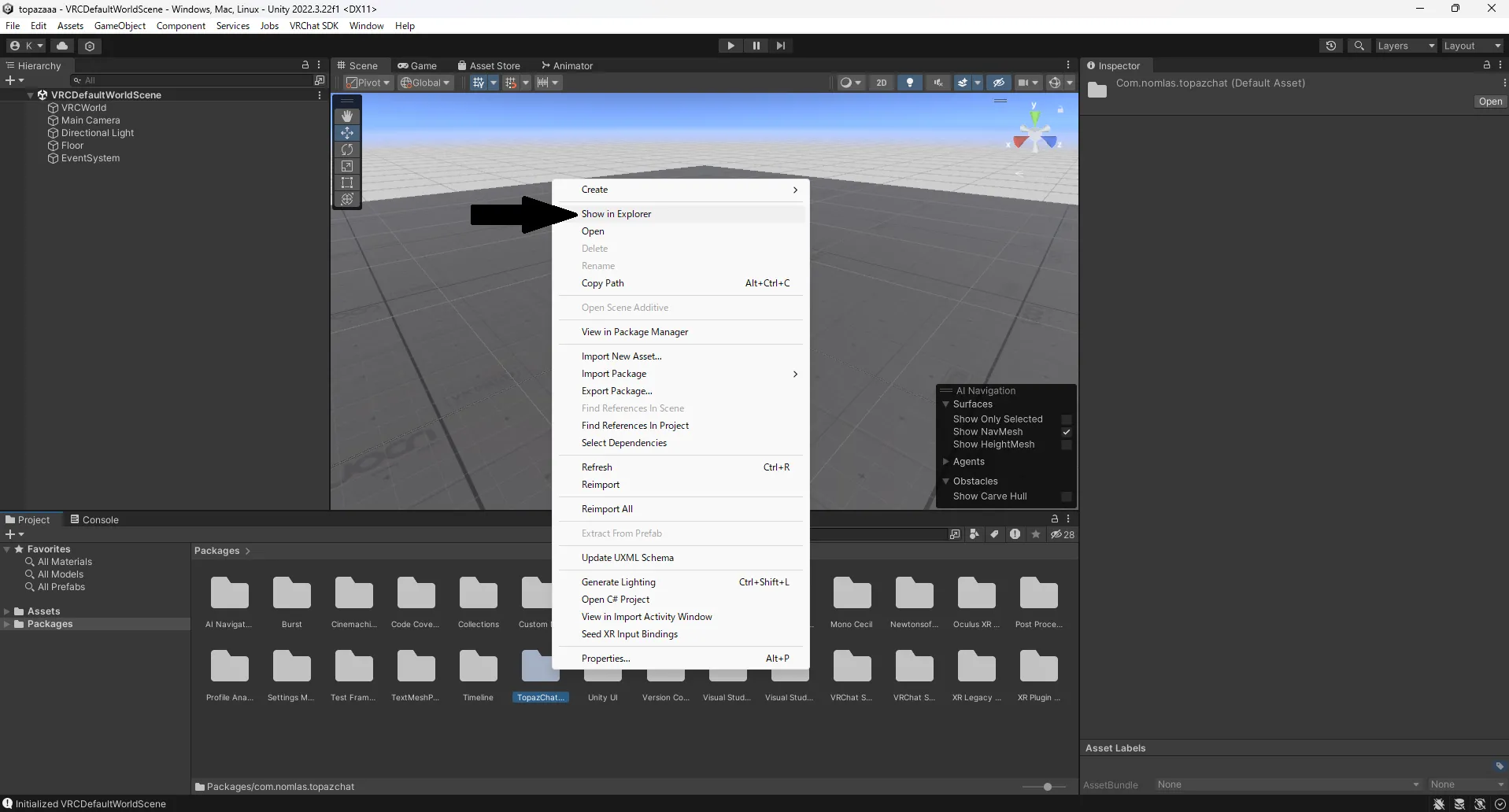
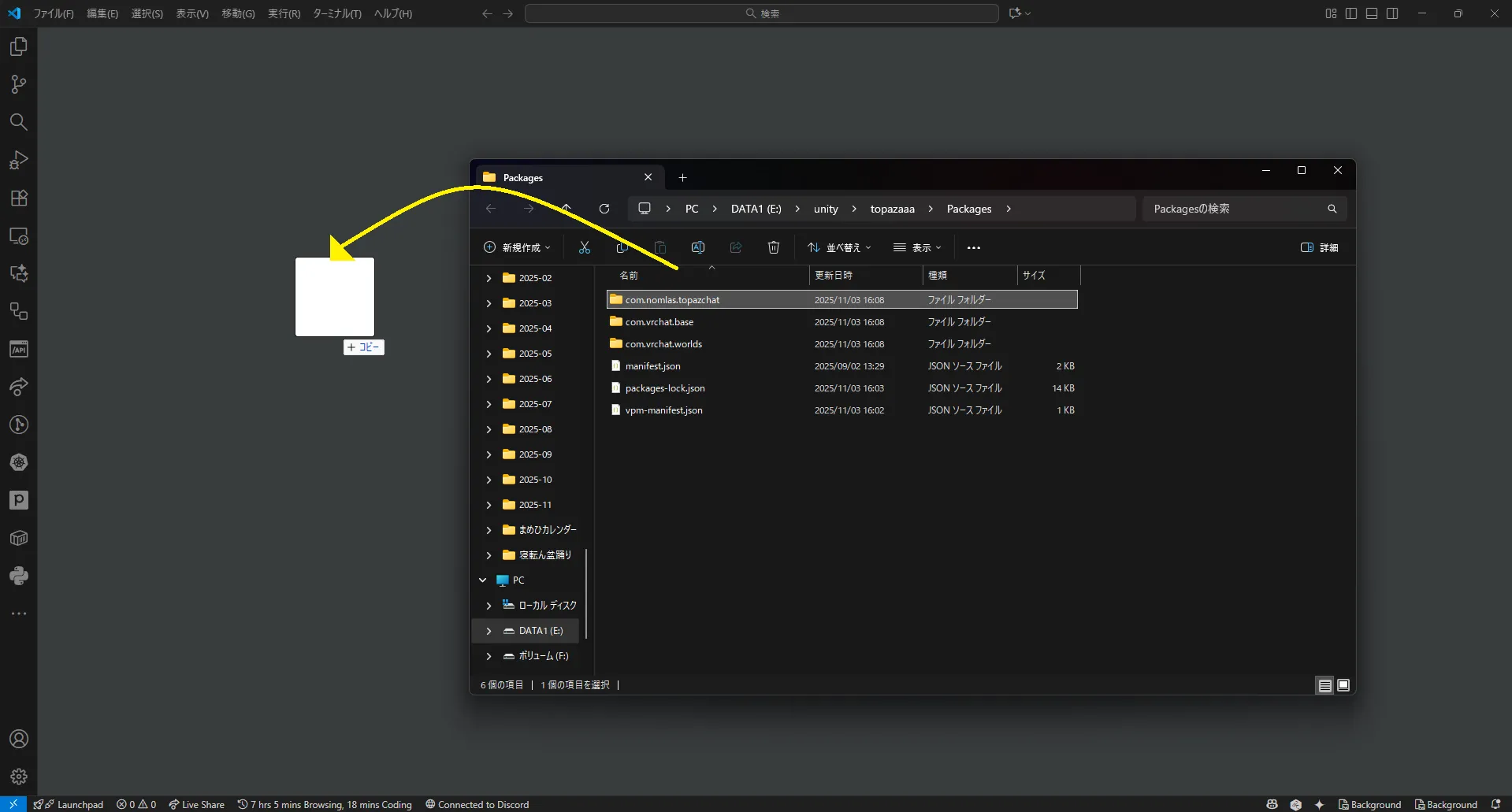
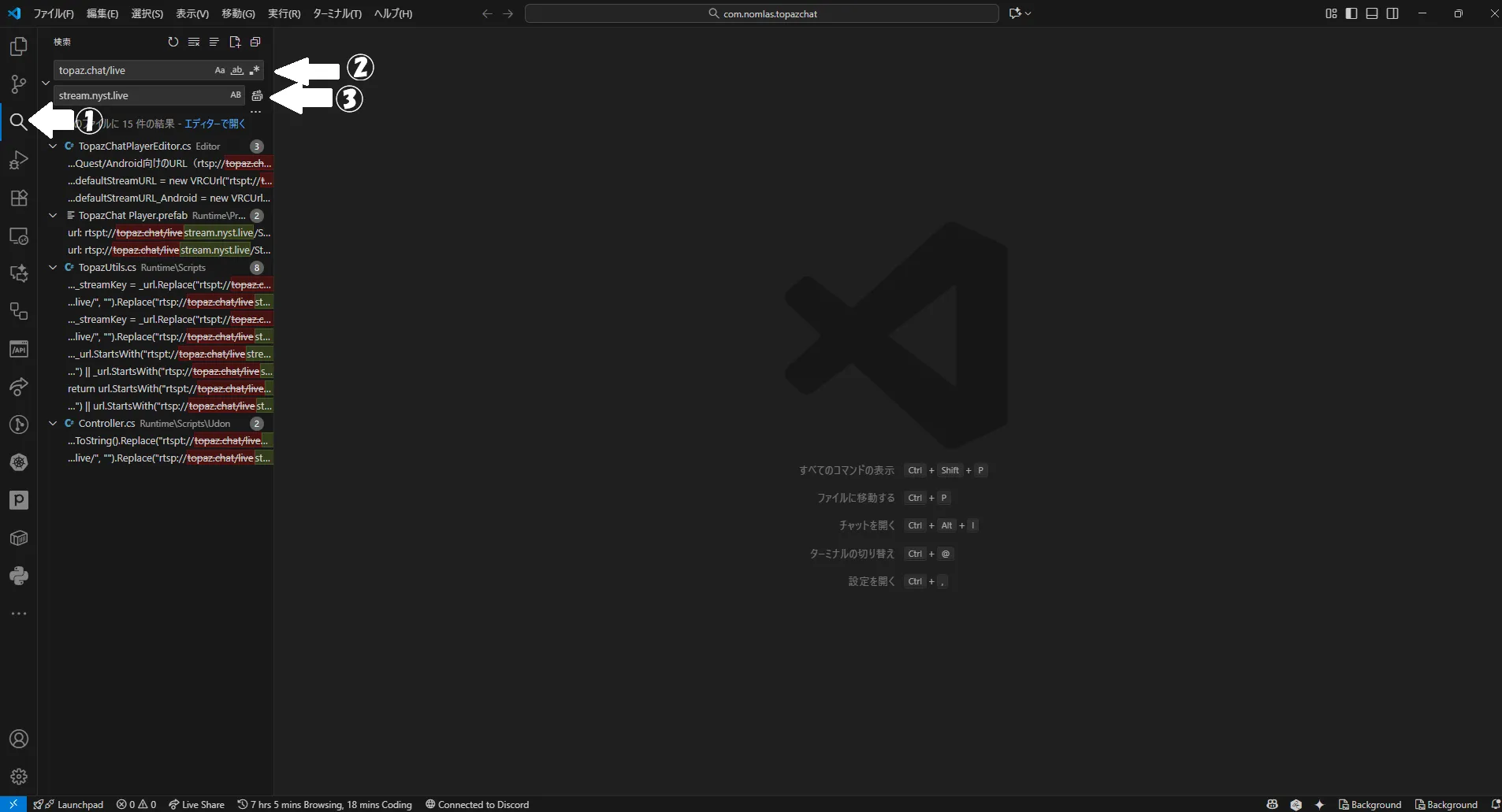
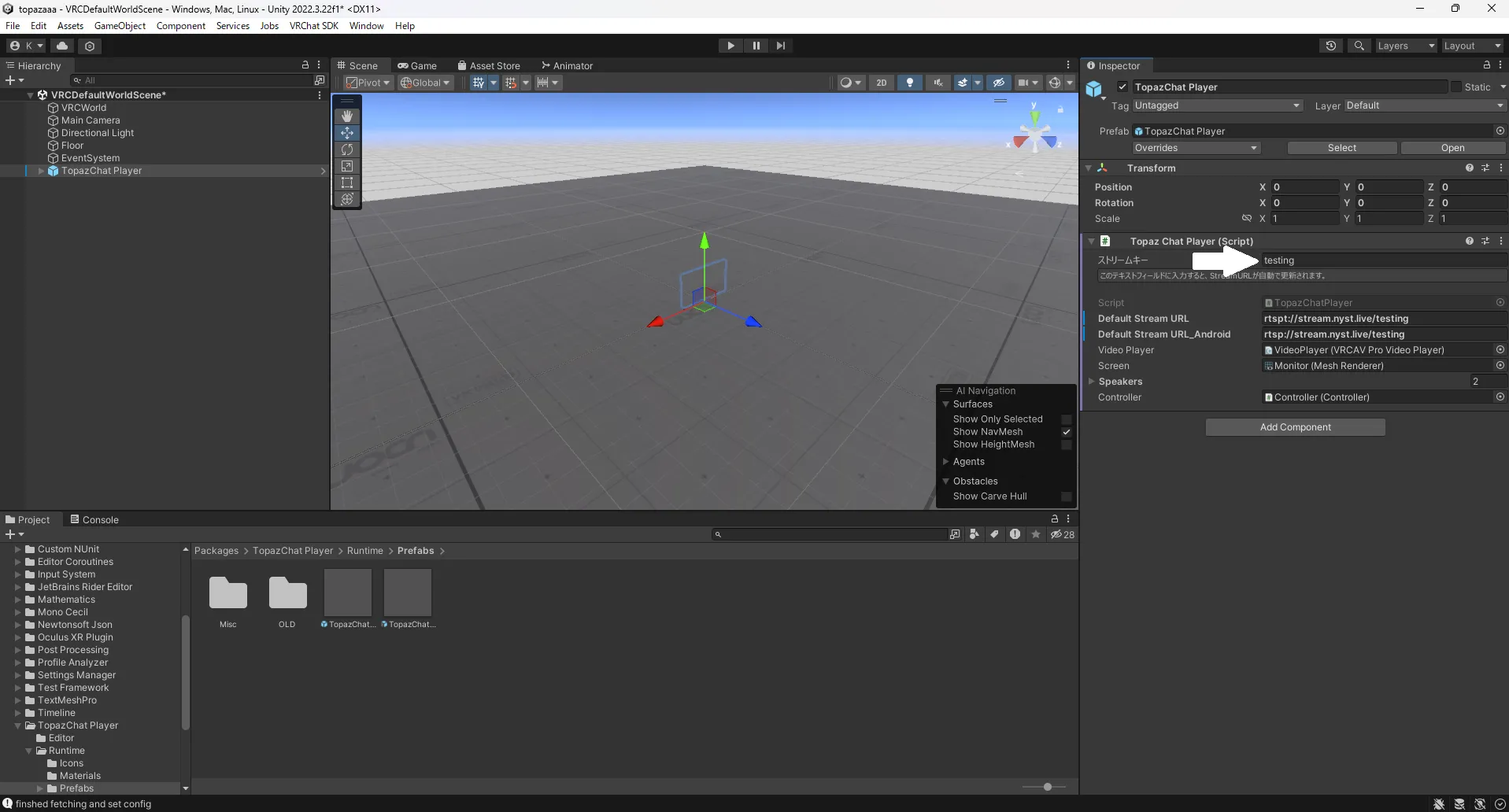
Section titled “TopazChat Player 3.0 (Advanced)”TopazChat requires script edits for streaming playback.