Low-Latency OBS Profile
OBS Low-Latency Profile
Section titled “OBS Low-Latency Profile”Overview
Section titled “Overview”This profile was created with the guidance of Lemon Kaju and Kyou. It is a modified and redistributed version based on the profile at https://lemonkaju.booth.pm/items/7497730. The following instructions are for Windows. Please note this in advance.
The software you need to install in advance is as follows. 🔷OBS: https://obsproject.com/download 🔷iTunes: https://www.apple.com/itunes/download/win64
Profiles
Section titled “Profiles”By default, the address for Node02 is set. When actually using it, please check the address from the Nyan Streaming tool yourself and start streaming.
CoreAudio AAC
Section titled “CoreAudio AAC”- Nvidia: https://cdn.krnk.org/kuronekoserver/wiki/nyst/obs-profile/nyst_nvidia_coreaudio_aac.zip
- Radeon: https://cdn.krnk.org/kuronekoserver/wiki/nyst/obs-profile/nyst_radeon_coreaudio_aac.zip
PCM (s16be, Highest Audio Quality)
Section titled “PCM (s16be, Highest Audio Quality)”- Nvidia: Download the PCM (s16be) profile
- Radeon: Download the PCM (s16be) profile
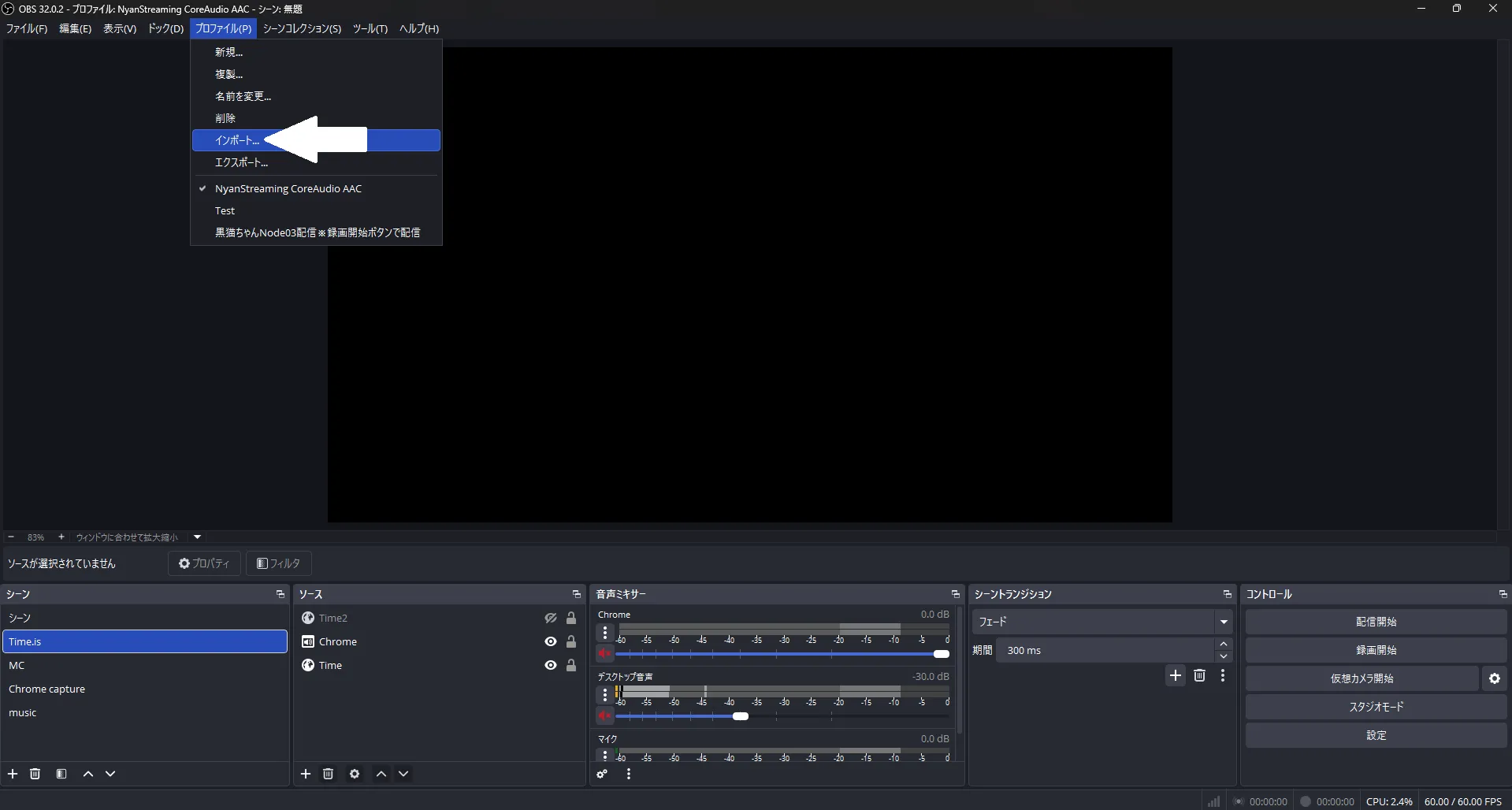
Importing the Profile in OBS
Section titled “Importing the Profile in OBS”Download the profile above, and after extracting it, select Import from the OBS profile menu and choose the extracted file. It should then appear in the profile list.